The concept behind this process is to create a hard coded HTML document that will load consistently for the user as well not having a lot of JS needing to run on each page load.
Workflow
- Pubs exports from InDesign into a Word Document which goes through the importer.
- The importer process can be done by IT or Pubs. Typically we do this part, but Kit has been doing this herself as she is working on standardizing the styles.
- Only IT can make changes to the importer but Kit is helping to build the style mapping that IT will add to the importer.
- The importer will output 1 HTML file for each word document and 1 CSS file for all chapters.
- The naming of the HTML files can be up to Pubs, but they must be in alphabetical order to display properly. For this documentation we will assume the HTML files are chapter1.html, chapter2.html… and the stylesheet is typically named book_slug.css.
- These HTML files can be modified if needed, but if this is done, then it must be done every time the chapter gets run through the importer. This will happen when some part of the chapter has styling too difficult for the importer to handle. The CSS file should not be modified at all, for the same reason. Any custom CSS needed should be included in the CSS files as noted in the Adding Chapter/Files tab.
- The HTML and CSS files from the importer are then uploaded to the books site by following the instructions in the Adding Chapter/Files tab.
- Preparing the chapters is done by following the instructions in the Prepare Chapters tab.
- This runs a bunch of JS which will be detailed below and creates a new HTML file for each chapter with the same name but inside of the published directory.
JavaScript Files
- books.js or books_published.js
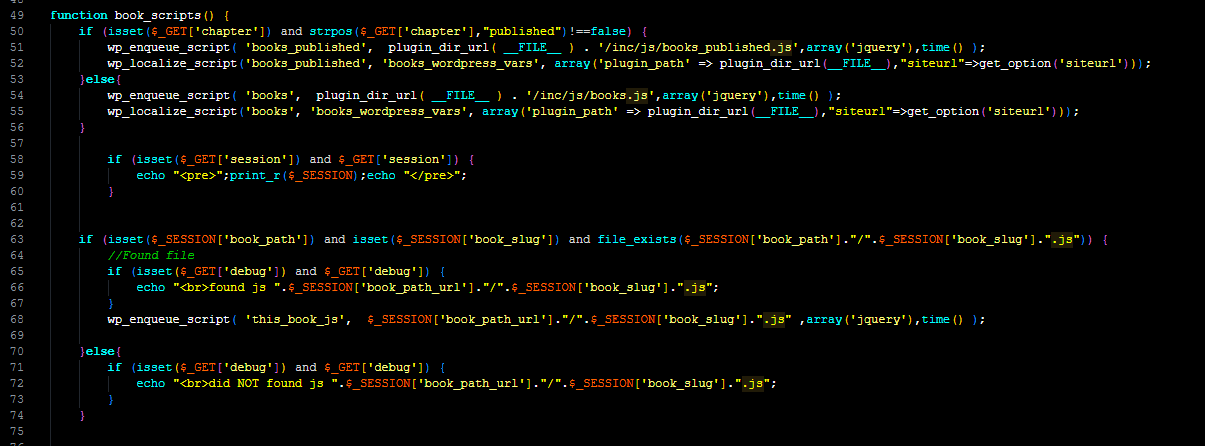
- This is the primary JS file to handle all book features. sog-books.php on line 50 checks if this is a published or draft chapter and loads the proper JS file. books.js contains all the code to prepare the chapter and is not needed for the public to see so a slimmed down version is loaded for published chapters in books_published.js. More details on how this prepares the chapter will be included below. This file exists within the plugin inc folder.
- books_tour.js
- This contains the code for the popover tooltip type help to work. This file exists within the plugin inc folder.
- {book_slug}.js
- Each book can optionally have it’s own JS file for customizations specific for this book. Line 68 in sog-books.php includes this file if found.
The Prepare Chapter JS
Inside the books_functions.php file there is a fx called hotlink_debug() which creates the Jedi menu that appears in the lower left of the page on all draft chapters. This PHP/HTML creates the buttons and instructions for each step of the process and most importantly has a class called prepare_go_button which triggers the JS and a data attribute to declare what this is supposed to do. This code is a little redundant and if done again would likely be put into a loop.
For this example I will walk through the Anchors button
This PHP/HTML snippet in the hotlink_debug() function
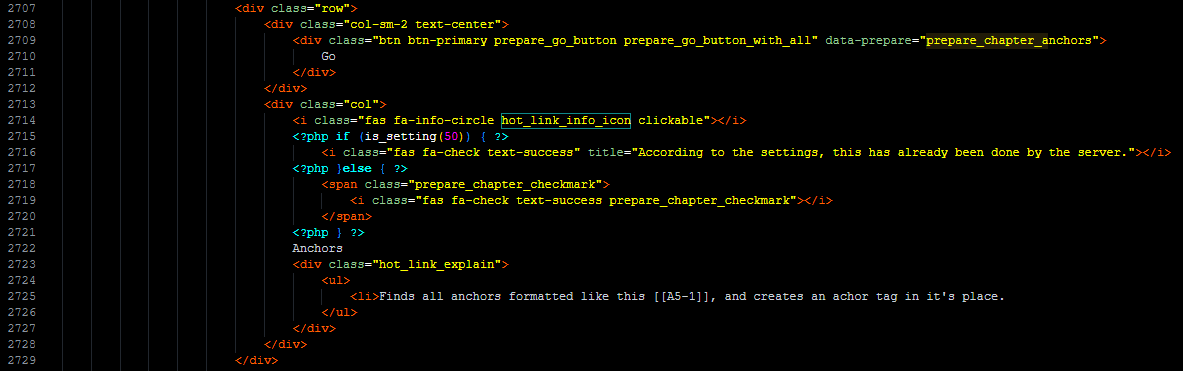
Creates this html output
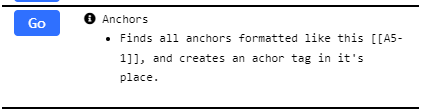
Clicking the Go button triggers the click event in books.js on line 420
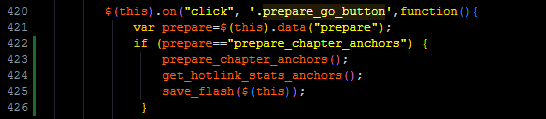
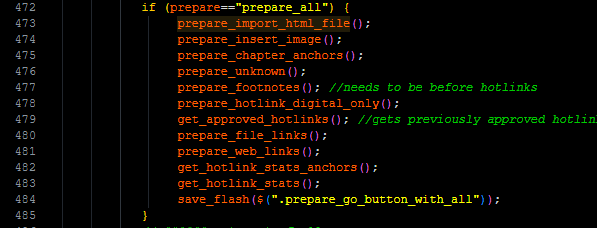
Which runs 3 functions, the important one being prepare_chapter_anchors() which is well documented. The goal is to make a unique ID based on the heading so the TOC links can find this. The get_hotlink_stats_anchors() function was to help them see how many error hotlink errors there are. For example if they have a hotlink for [[HL5-22]] but there is no cooresponding anchor tag of [[A5-22]] it will show an error, this function runs that error checking. The save_flash() function will flash the button briefly indicating it finished.
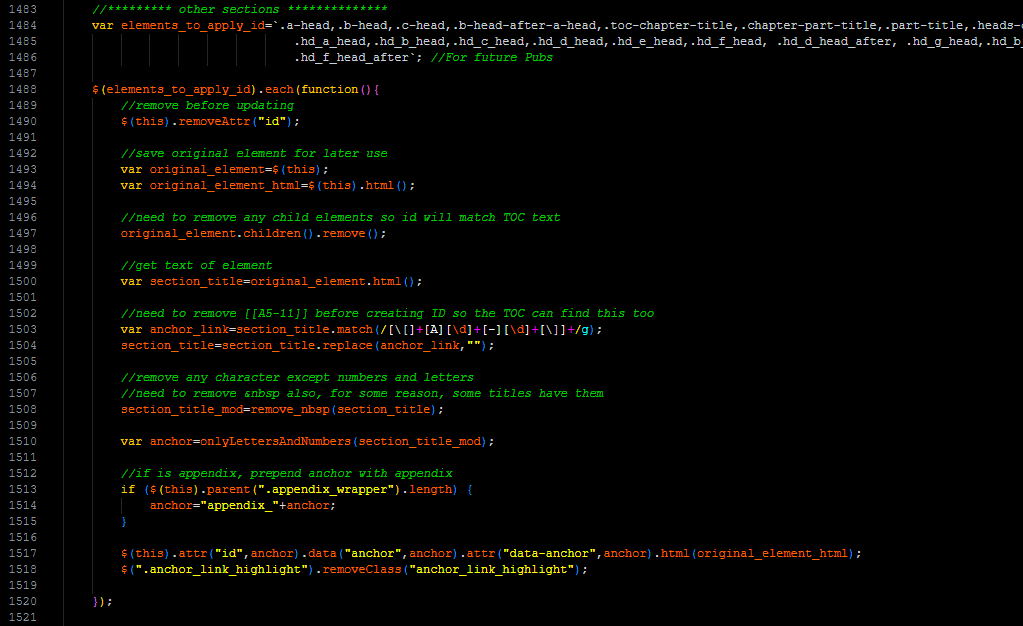
- Using jQuery it goes through each head type element.
- Clears the ID.
- Gathers the text removing any hotlinks [[5-23]] if exists.
- Removes all characters except letters and numbers to create a unique ID.
- Sets the ID with this new unique string.
- Then looks through all d heads, basically the same but has a small caveat.
- Then this loops through all elements.
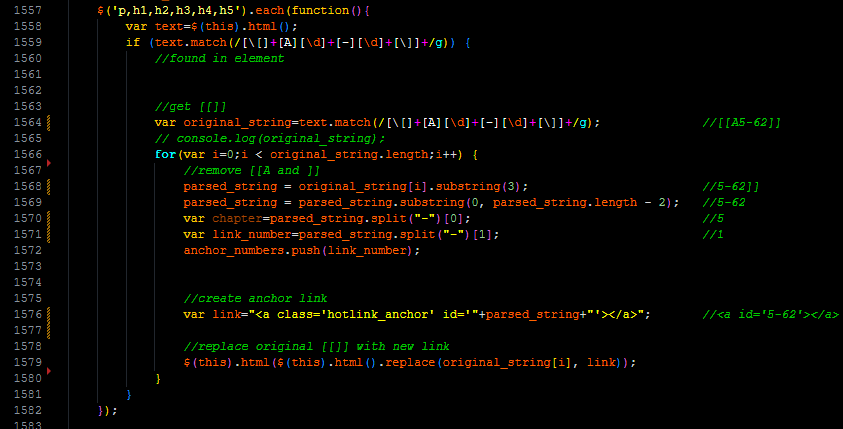
- Using RegEx it looks for all Anchor hotlinks like this [[A5-23]]
- parses them to pull out the numbers it needs.
- Then turns them into <a id=”5-23″></a>
If you need to add an additional Go button to be included with all books:
- Copy an existing Go button HTML in the hotlink_debug() function and change the text and data attribute. Keep in mind, the first set or buttons from line 2474 to 2644 are for the table of contents and the else part line 2645 to the end are for regular chapters.
- Add it to the click event on line 420 of books.js. If you want this to run with the “All” button then make sure to also add to the prepare_all part of the code. And of course create the new JS function to do whatever you want it to do.
If you need to add an additional Go button to be included with just one book:
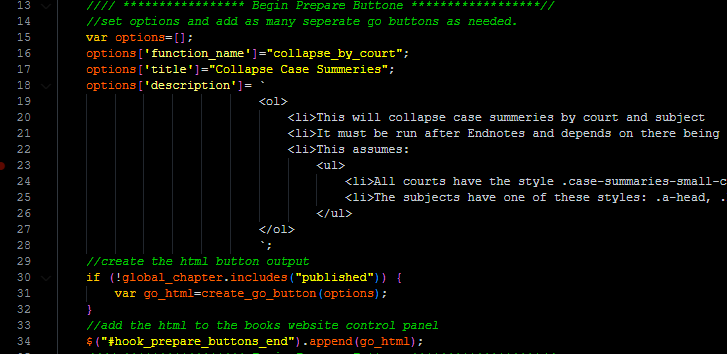
- Using the book_slug.js file beginning on line 13 (asi.js in this example) is some JS code to create a new go button. Give it the proper title, description, and data attribute. It is essentially a hook that will append it self to the prepare buttons for that book.
- There is also a click event in this file that works just like above. And of course create the new JS function to do whatever you want it to do.
The books.js buttons does all of the preparing items plus the items below. The books_published.js only does the items below.
- Handles links whether they should open in new browser or stay on page.
- Creates and handles bookmarks.
- Handles inline footnotes.
- Opens and closes all footnotes
- Handles distraction free viewing
- Creates and handles the sticky header
- Search result scrolling and coloring
- some other random things for sidebars and headers and help info signs.
There is some ASI only items in books.js which should probably go into asi.js but I haven’t moved them becuase when sometimes works, don’t touch it.
