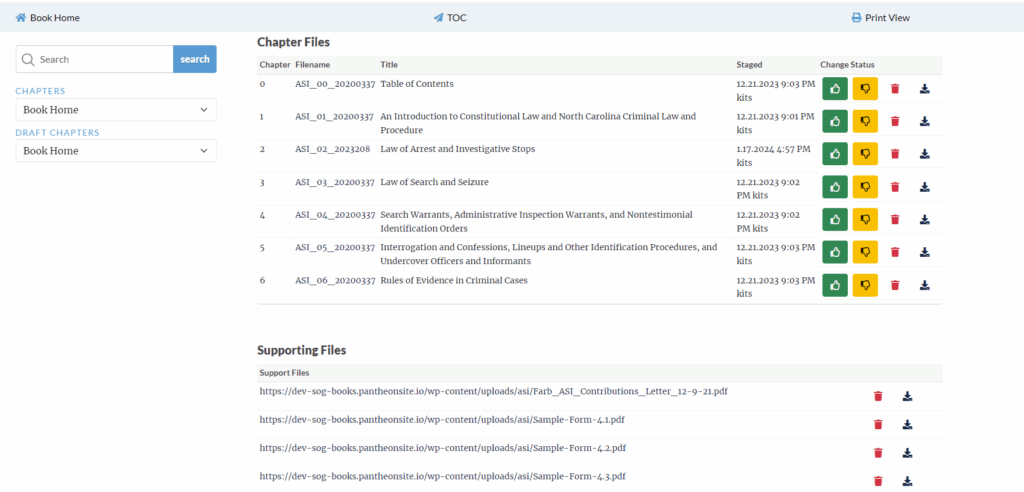
When launching a new chapter there should not need to be any code changes, everything can be done from the WordPress interface.
- If you need to make a Perma.CC copy of the chapter, make sure to do this first.
- To create the perma.cc link you will need to use the secret code and add it to the url for the chapter. This code changes daily and can be generated by IT. Append it to the end of the URL like this https://books.sog.unc.edu/books/asi/?chapter=published/20200337_02_ASI&permacc=xyzSampleSecretCodexyz
- Gather all chapter HTML and support files from the All Chapters screen.
- Typically there will be 3 supporting files, this example is using ASI. Definition of these files can be found in the help tab titled Chapter Assumptions or Adding Chapter/Files.
- asi.css
- asi.js
- books_custom_asi.css
- Typically there will be 3 supporting files, this example is using ASI. Definition of these files can be found in the help tab titled Chapter Assumptions or Adding Chapter/Files.
- Sometimes it will be helpful to put the book in maintenance mode before making changes. This ensures that while you are preparing the chapters the use will not see broken content. There is a checkbox and text input field on the primary book post page that allows you to turn this feature on/off and enter a custom message.
- If the filename for the chapter files change you must load the TOC and “Re-Stage” it so that the links can reflect the new chapter filenames.